Low Budget Lyric Video: 9 Ways to Make It Look Expensive
A lyric video looks expensive because of the choices in it. In our studio's experience, the type and the timing matter most. Get those right, and a simple background looks like a style choice.
Looking for prices instead? Our guide to what a lyric video costs compares every route side by side. This post is about the look.
What makes a lyric video look cheap?
Five tells give away a rushed lyric video. Most viewers can't name them, but they feel them in the first few seconds.
- Pasted-on subtitle text. Every line is the same size, the same font, in the same spot at the bottom. It reads like captions.
- Lines that arrive late or early. The singer hits a word and the text shows up half a second later.
- Low contrast. Thin white letters sit on a bright, busy photo, so you have to squint.
- Too many fonts and effects. Every section gets a new font and every line gets a new transition.
- A blurry export. The design was fine, but the file was squeezed too small and YouTube made it worse.
Each tell has a fix, and each fix is free.
| Cheap tell | The fix | Standard behind it |
|---|---|---|
| Lines late or early | Time each line to the vocal; hold short lines long enough to read | BBC: about 0.3 seconds per word on screen |
| Low contrast | Darken the background behind the text | W3C WCAG: 4.5:1 for normal text, 3:1 for large |
| Too many fonts | Two fonts at most, in bold weights | Our studio rule |
| Blurry export | MP4, H.264, 1080p at about 8 Mbps | YouTube's recommended upload settings |
| Busy, random background | One visual idea for the whole song | Our studio rule |
Sources: BBC Subtitle Guidelines (4.1), W3C WCAG 2.2, SC 1.4.3, YouTube Help. All checked September 2026.
Before: thin light type on a busy image, every line the same size, parked at the bottom.
After: dark overlay, bold type, hook bigger than the verse, one accent color, words in the safe middle zone.
Start with one visual idea
The first move costs nothing: pick one visual idea and carry it through the whole song. One image, one texture or one color world. A cheap video jumps between ideas because nobody decided on one.
The easiest place to find that idea is your cover art. It already sets a mood, a palette (the small set of colors a design uses) and a look your fans connect to the song. Pull two or three colors from it. Reuse a texture from it, like film grain, paper or smoke. If the cover has a strong object in it, that object can be your one visual idea.
A single idea also makes every later choice easier. You stop asking "what looks cool here?" and start asking "does this fit the idea?" That question cuts out most of the random effects that make a video look cheap.
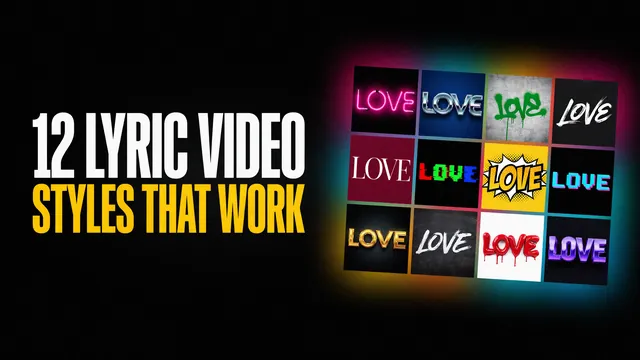
If you're stuck for a starting point, our list of lyric video styles matches common looks to genres. Pick one and commit to it for the full song.
Make the type do the work
In a lyric video, the words are the product. The type (the letters, their size, weight and placement) is where "expensive" shows up first.
Keep it to two fonts at most. Use one for the lyrics and, if you want, a second for the title card or the hook. Pick bold or semi-bold weights. Thin, light weights look elegant on a big monitor and fall apart on a phone. Our guide to the best fonts for lyric videos goes deeper on picks by genre.
Hook vs verse: the size jump
The hook (the line people remember and sing back) should look different from the verses. The simplest way is size. Make hook lines clearly bigger than verse lines, so a viewer can tell the chorus has arrived with the sound off.
Hierarchy is giving the most important words the most visual weight, through size, weight or color. Cheap lyric videos skip it: every line gets the same treatment, so nothing stands out. A size jump, a bolder weight or one accent color on the hook is enough.
Where the words sit on a 9:16 screen
A 9:16 screen is the tall phone shape used by Shorts, Reels and TikTok. Those apps put buttons, captions and profile names around the edges. Words placed there get covered.
The BBC's subtitle guidelines give a clear safe area for vertical video. Keep text inside the central 75% of the height and the central 90% of the width. On a 16:9 video it flips: central 90% of the height and central 75% of the width. Keep the lyrics in that middle zone and nothing covers them.
See your song as a designed lyric video
Upload your song and get a full-length video with designed, synced type. Free at 720p, no account or card.
Timing is the cheapest upgrade
Timing costs nothing but attention. When lines land exactly with the voice, the video feels made on purpose. When they drift, it feels like a karaoke file.
Two checks cover most of it:
- Land each line with the vocal. Text should appear as the singer starts the line, not after.
- Give short lines enough time to read. The BBC's subtitle guidelines suggest about 0.3 seconds per word as a minimum. That's about 1.2 seconds for a four-word line. Fast songs break this sometimes, and the BBC itself calls timing "an editorial decision". Treat it as a guide.
Our guide on how to sync lyrics to the beat covers the timing details, including how much drift viewers notice.
Contrast and color on a small budget
Contrast is how much the text stands out from what's behind it. Low contrast is a common reason a DIY lyric video looks cheap.
The W3C's accessibility rule (WCAG 2.2) sets a clear bar. Normal text should have a contrast ratio of at least 4.5:1 against its background. Large text can go down to 3:1. Lyric text is often large, but it also moves and sits on changing images, so aim for 4.5:1 anyway.
If your background is a busy photo, you have two free fixes:
Add a dark overlay.
Put a see-through black layer between the photo and the text. Raise it until the words read easily on a phone.Darken only the area behind the words.
Blur or shade the band where the lyrics sit, and leave the rest of the image alone.
Then limit your color. Use one or two accent colors and keep the rest neutral. Pull them from your cover art, as above. Our guide on how to choose a lyric video color palette walks through picking colors that stay readable.
Free backgrounds that don't look free
You don't need footage to make a lyric video look rich. Four free sources work well:
- Your cover art. It's already yours, already on-brand and already tied to the song.
- Still photos with slow motion. A slow zoom or pan across a still image, often called the Ken Burns effect, makes a flat photo feel alive. CD Baby's DIY Musician blog describes a lyric video made for under $10 this way.
- Textures. Grain, paper, smoke or light leaks add depth behind plain type.
- Free stock photos. The Unsplash License lets you use its photos for free, for commercial and non-commercial projects, without asking permission. The one limit: you can't sell the images themselves without significant changes.
One warning about stock: other artists use the same photos. The CD Baby writer names that exact risk. Skip the first result everyone clicks, and change what you pick (crop, recolor, blur) so it fits your one visual idea.
Motion: less is more
Motion is where cheap videos try hardest and lose most. Ten transition styles in one song look like a template demo.
- One entrance style per section. Verses can fade in. The hook can scale up. Keep each section consistent.
- No random transitions. If a move doesn't serve the idea, cut it.
- Tie motion to the beat. A small pulse on the kick drum or a word that pops on a snare hit feels designed.
Slow, steady motion reads as confident. Fast, random motion reads as nervous.
Export settings that keep it sharp
A great design can still look cheap if the file is soft or blocky. This is the last step, and it's the one most people rush. YouTube publishes its own recommended upload settings:
- Container: MP4.
- Video codec: H.264, High Profile.
- Frame rate: upload at the same frame rate you made the video in. Don't convert 30 fps to 60 fps.
- Bitrate (how much data the file uses each second): for 1080p, 8 Mbps at 24 to 30 fps, or 12 Mbps at 48 to 60 fps.
YouTube's recommended upload bitrate
Standard frame rate (24 to 30 fps), SDR. A 1080p lyric video needs about 8 Mbps.
Source: YouTube Help, recommended upload encoding settings, checked September 30, 2026. 4K: 35 to 45 Mbps, see table.
| Resolution | 24 to 30 fps | 48 to 60 fps |
|---|---|---|
| 480p | 2.5 Mbps | 4 Mbps |
| 720p | 5 Mbps | 7.5 Mbps |
| 1080pAim here | 8 Mbps | 12 Mbps |
| 1440p | 16 Mbps | 24 Mbps |
| 2160p (4K) | 35 to 45 Mbps | 53 to 68 Mbps |
Source: YouTube Help, SDR table, checked September 2026.
A 1080p lyric video needs about 8 Mbps, not a tiny phone export. Many phone apps and "share" presets squeeze files far below that to save space, and the soft edges show up on every letter.
Then make a vertical version. YouTube Shorts can be up to 3 minutes long, so many songs fit whole or nearly whole. Crop a vertical cut in a phone editor, and keep the lyrics inside the safe area from the type section.
What we do on paid studio jobs that you can copy
Our studio has made 800+ custom lyric video projects over more than a decade. These habits cost nothing, and they show up on every job:
Proofread against the artist's own lyric sheet, more than once.
A typo in a lyric video stays live until someone re-uploads. The CD Baby writer found one in their own video after it had been up for over a week.Decide the hook moment first.
Before any design, mark the line the song is built around. That line gets the biggest type and the boldest treatment.Pull the palette from the cover art.
The video and the release should look like the same project.Check it on a phone before delivery.
Thin fonts, low contrast and words under app buttons mostly show up at phone size.
Here's one of ours: Paul Udarov & Jay Ray, "Heartless" (Official Lyric Video). Look at its thumbnail on YouTube. The song title sits in large white capitals with very wide letter spacing. The artist names sit under it in much smaller spaced capitals. The background is a dark 3D mechanical shell with a faint red shape at its center. One dark world, one small accent color and two clear type sizes: the same moves this post describes.
The fastest route: let the tool handle design
If you'd rather not build all of this by hand, Make Lyric Video does the type work for you. You upload your song file (MP3, WAV, AAC or M4A). The tool writes the lyrics from the audio, times each word to the music, and animates it as designed type. You fix any misheard word, then export.
The free version is a full-length 720p video with a watermark on every frame, and you can make as many as you like. You can post it, but you can't monetize it. $29 gets 1080p with no watermark and commercial rights, emailed to you (see pricing). Neither license covers the song itself.
We'll concede the limit: a tool won't build a fully custom world around your song. For that, our studio's done-for-you lyric videos are the route. For every option compared side by side, see what a lyric video costs.
Make your lyric video look designed
Upload your song, watch the full video render, and download it free at 720p. No account, no card.
FAQ
Can a cheap lyric video look professional?
Yes. In our studio's experience, type and timing do most of the work. Two bold fonts, a clear size jump on the hook, lines that land on the vocal, strong contrast and a clean 1080p export make a simple background look intentional. None of those need a big budget.
What is the cheapest way to make a lyric video?
The cheapest route is a free tool or editor plus your own cover art as the background. Make Lyric Video's free version gives you an unlimited number of full-length 720p videos with a watermark on every frame, fine to post but not to monetize. For every route side by side, see our lyric video cost guide.
What resolution should a lyric video be for YouTube?
Aim for 1080p. YouTube recommends an MP4 file with H.264 video, uploaded at the frame rate you made it in. For 1080p, that's about 8 Mbps at 24 to 30 fps, or 12 Mbps at 48 to 60 fps. A heavily compressed phone export will look soft after YouTube processes it.
Can I use free stock photos in a lyric video?
Yes, if the license allows it. The Unsplash License permits free commercial and non-commercial use without asking permission, though you can't sell the images themselves without significant changes. Popular photos show up in many videos, so edit what you pick. The photo license doesn't cover your song.
How long does it take to make a lyric video?
It depends on the route. Building one by hand in an editor can take many hours, because every line has to be placed and timed. Our AI maker renders a full video in a few minutes, and most of your time goes into checking and fixing words. Proofread before you publish either way.